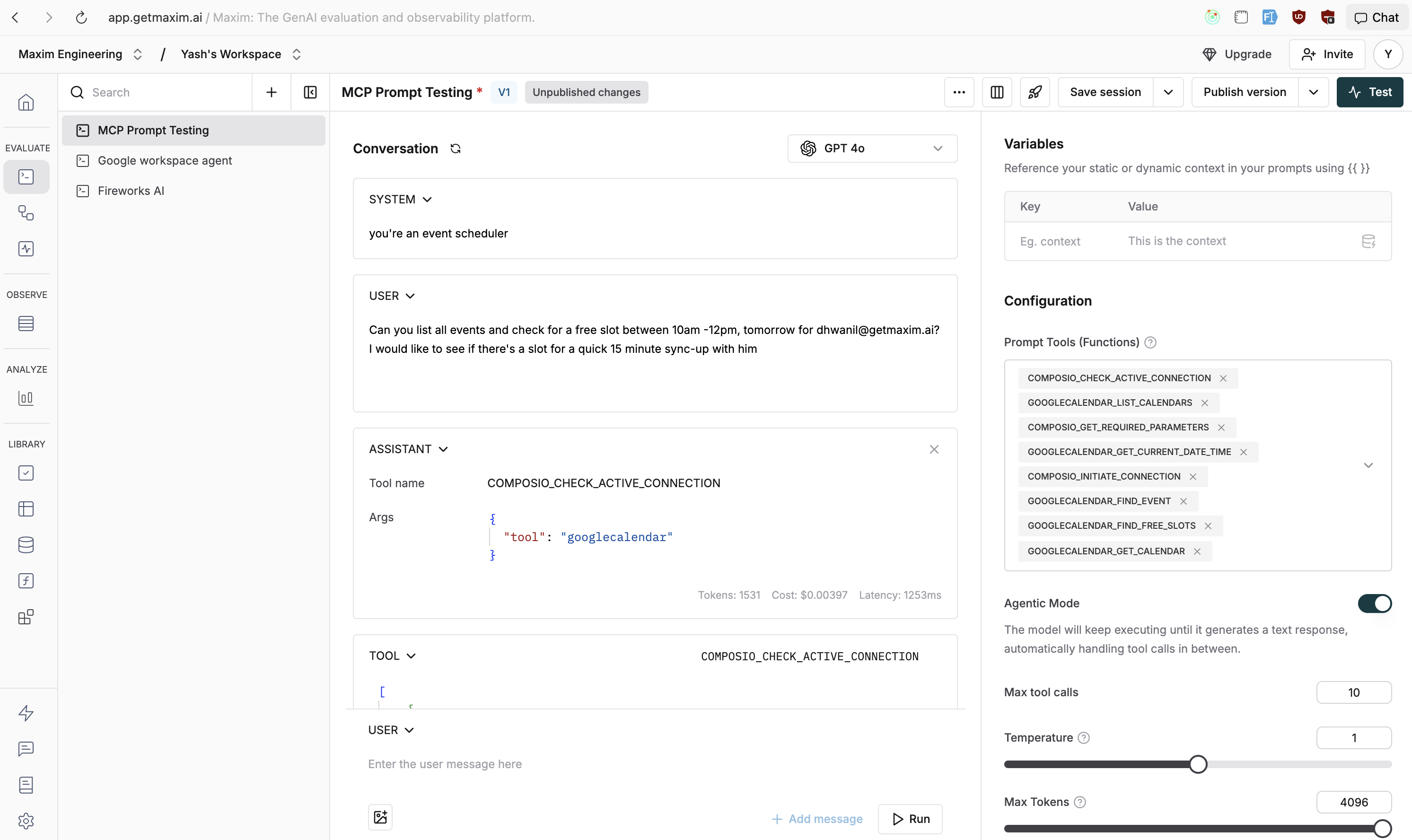
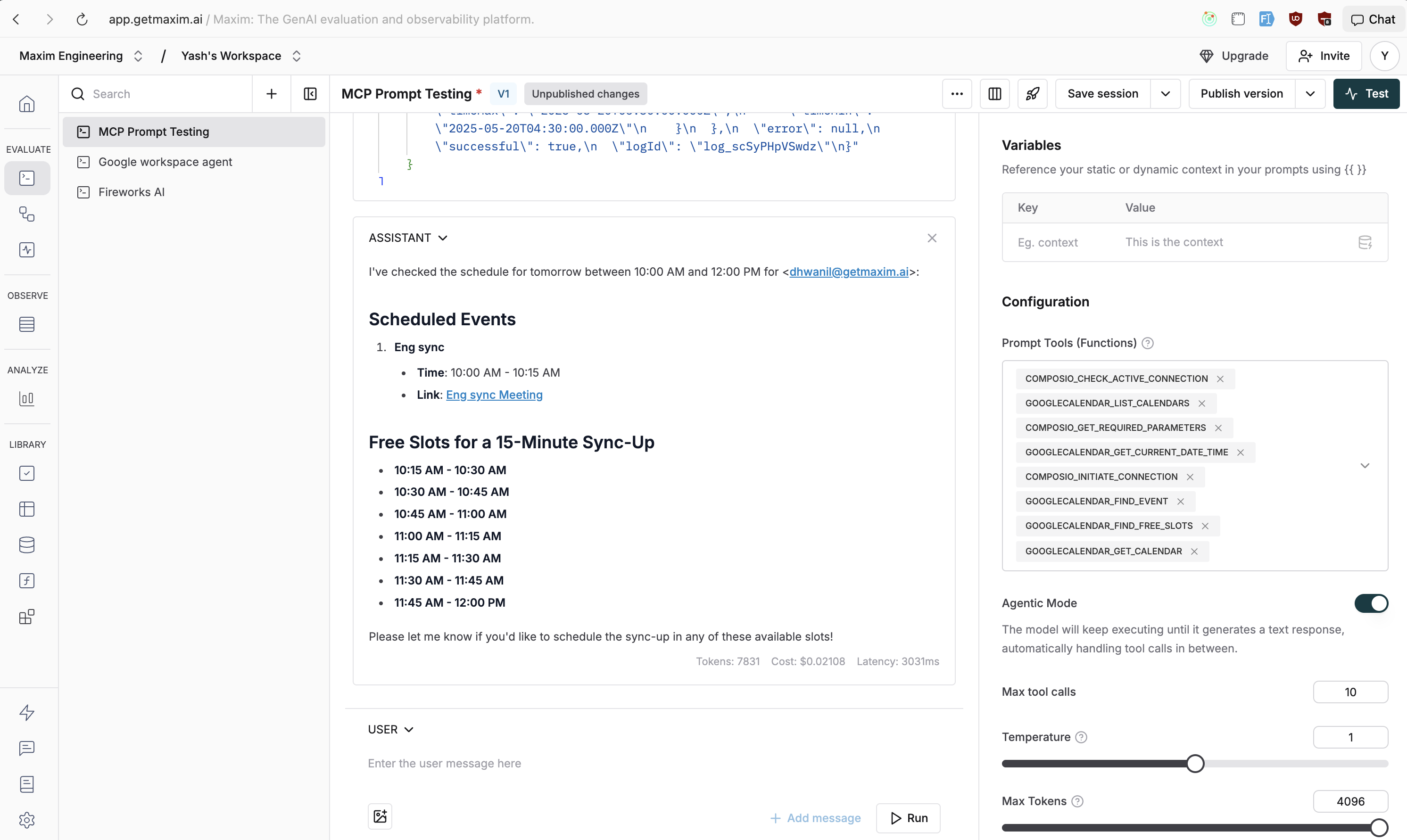
Composio client.
1
Add a MCP server on Maxim
Once you have set up an MCP server, to add it to Maxim, you can go to 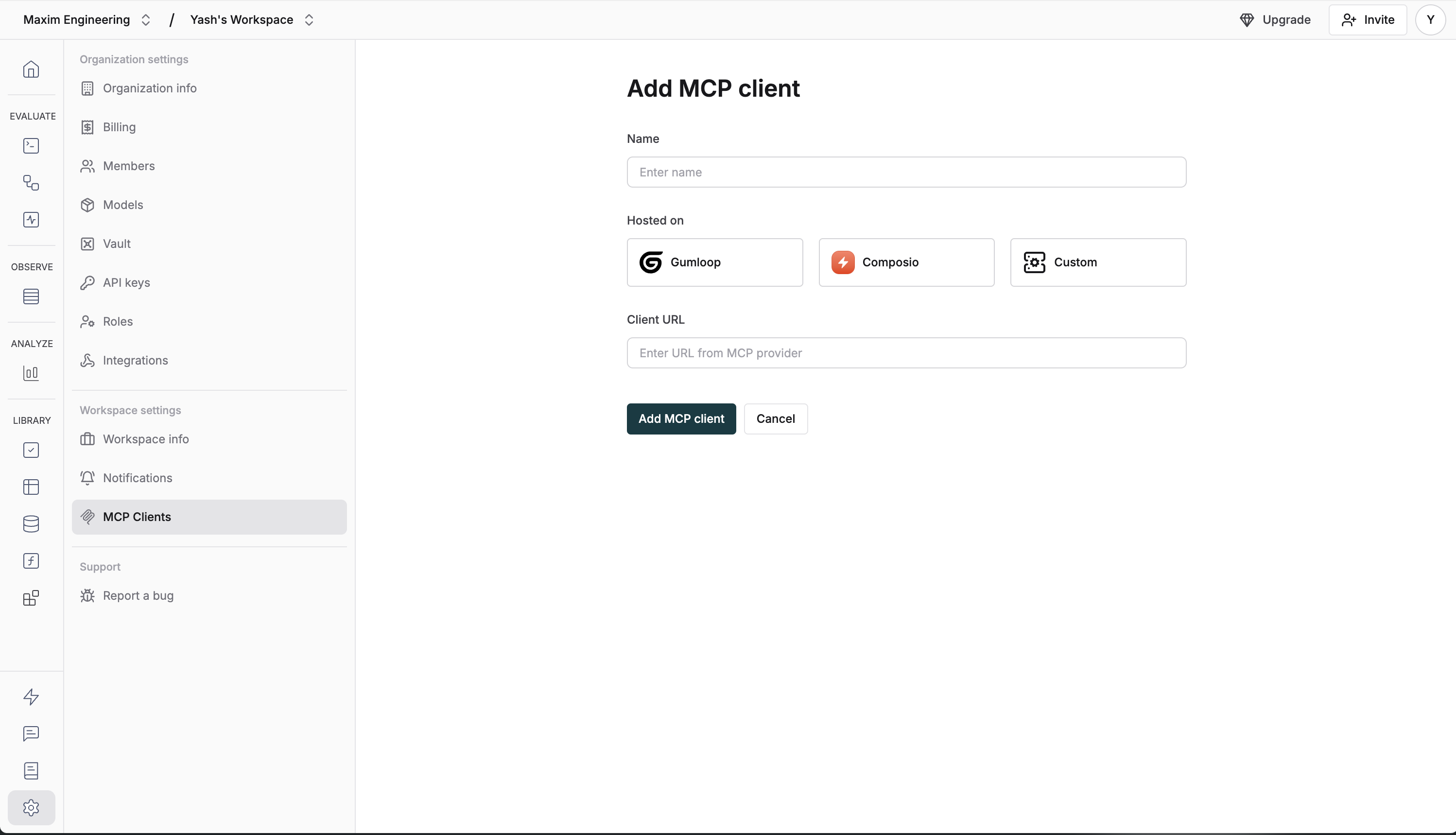
Settings → MCP Clients and click Add new client.2
Use MCP to test your prompts
Once you have added the MCP client, head over to 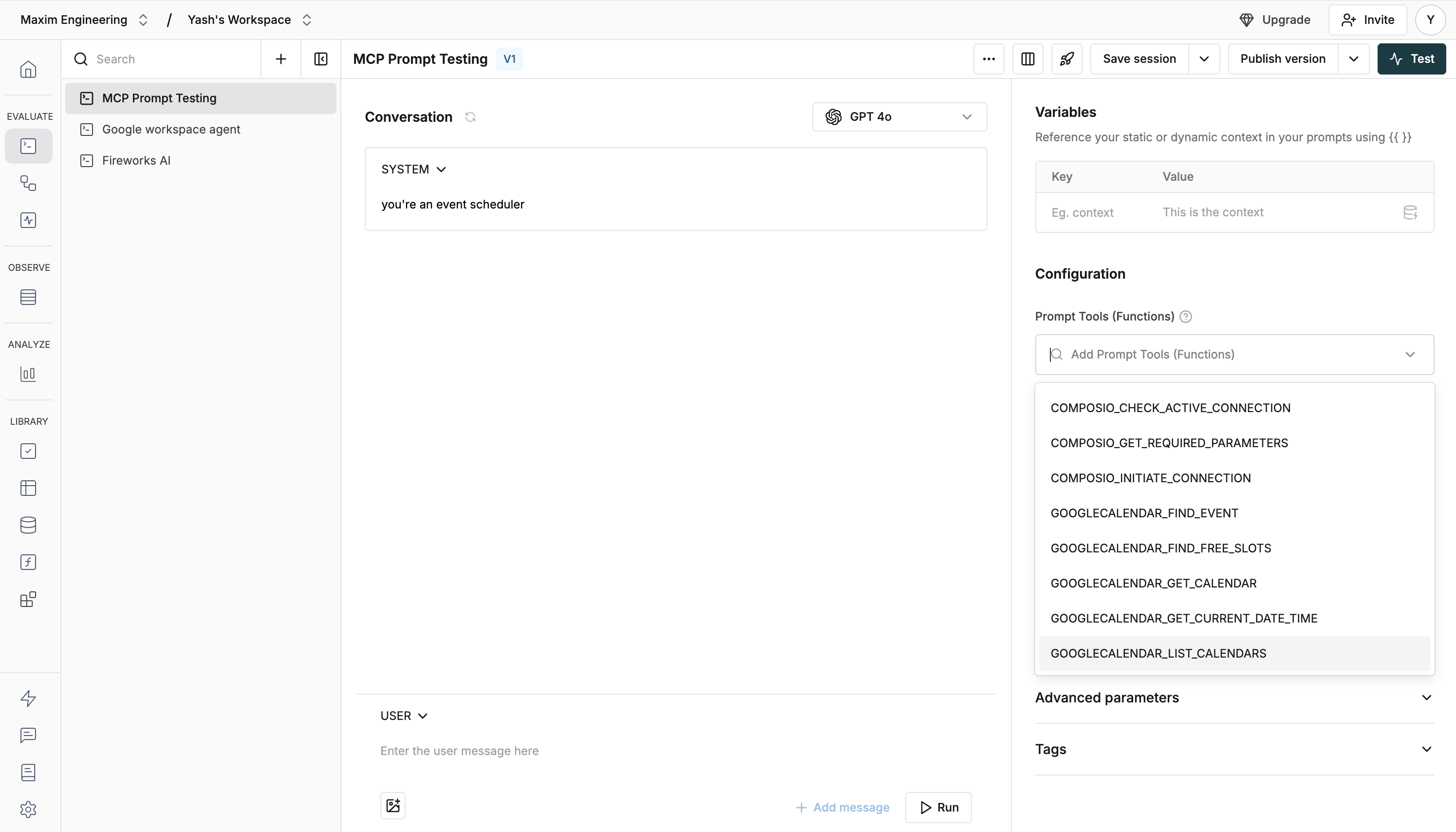
Prompts. You will find all the tools you have set up under Prompt Tools.3
Add a new MCP
Once you have added the tools, you will see an Agentic Mode switch. On enabling this, the model will keep executing until it generates a text response, automatically handling tool calls in between. This is optional, and you can choose to use the tool in non-agentic mode as well.