
Creating your first live trends dashboard
1
Create a live trends dashboard
Select Dashboards in the left sidebar and click 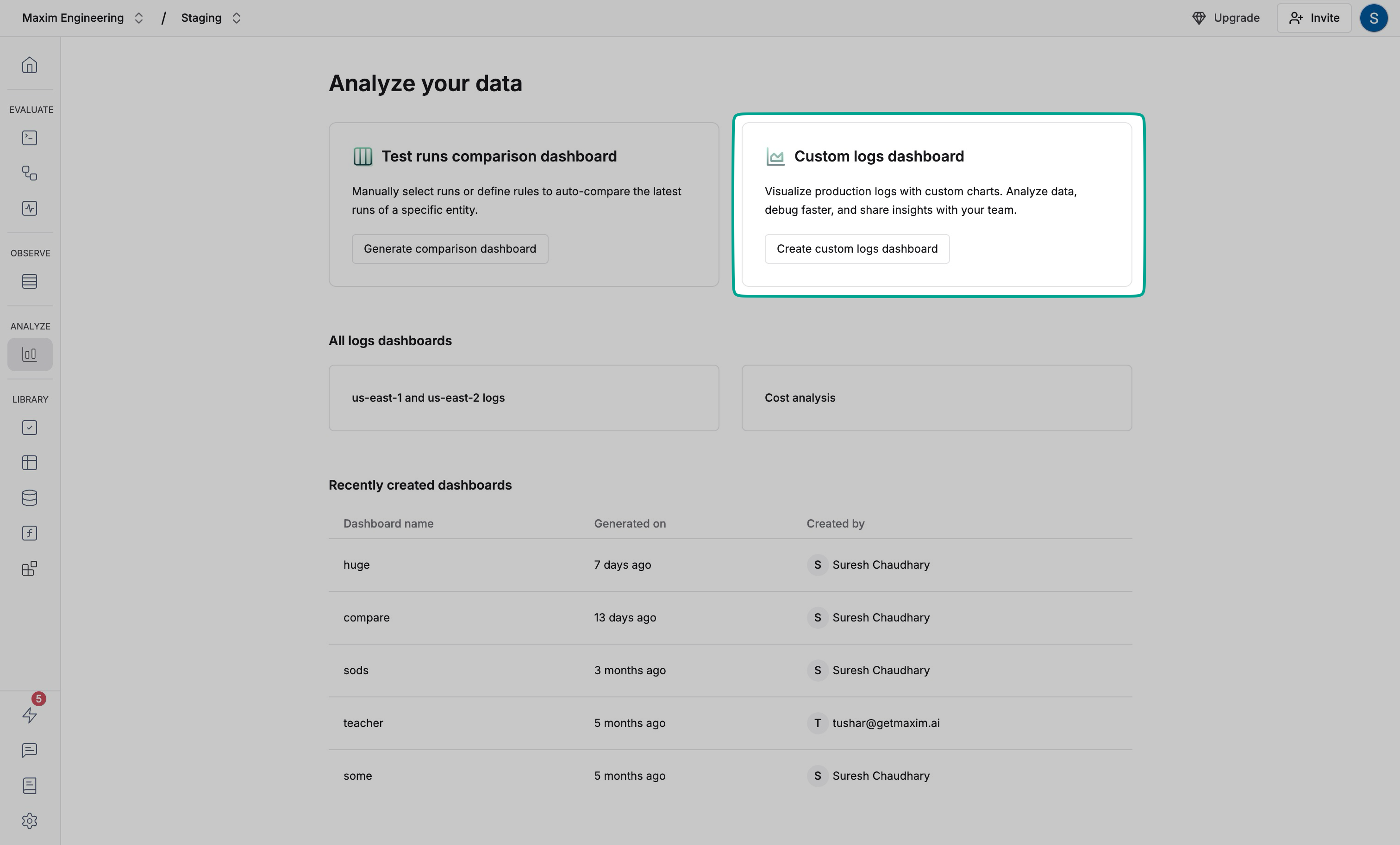
Generate comparison dashboard2
Name your dashboard
Select Live trends and enter a name that describes the dashboard’s purpose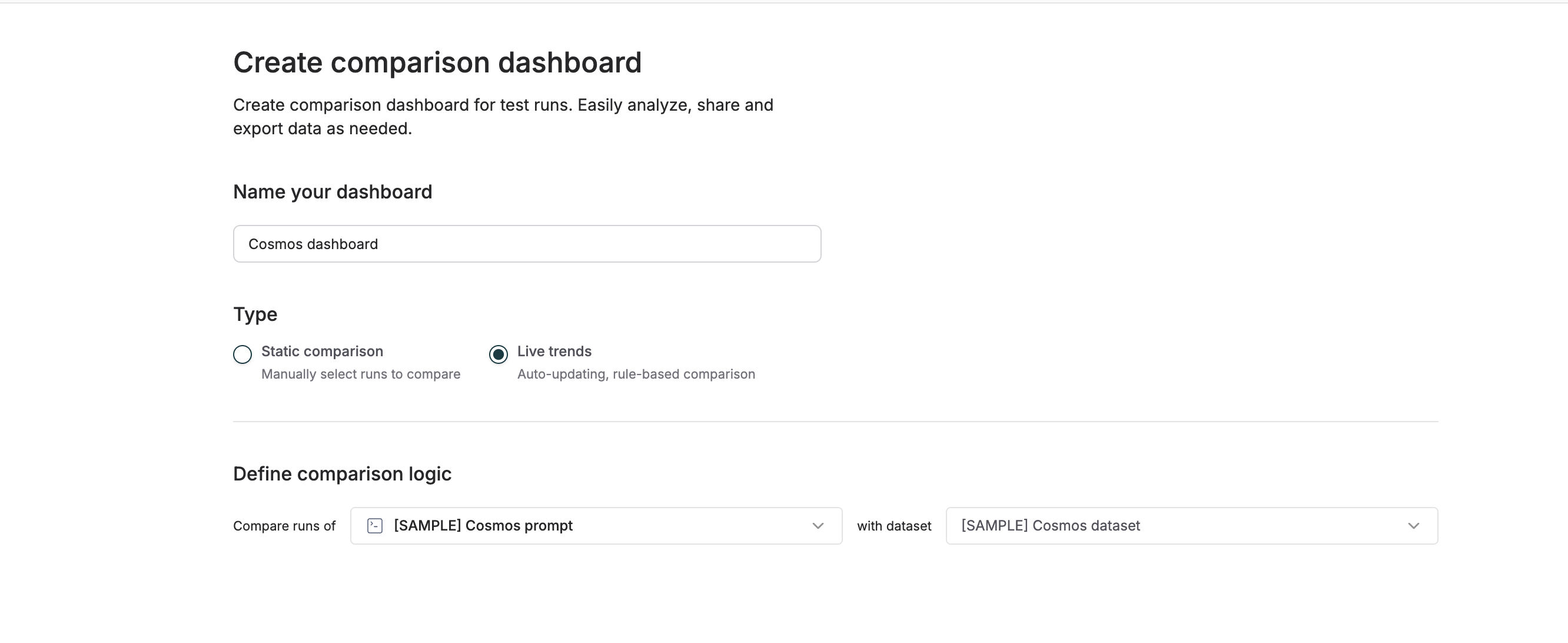
3
Select the entity
Select the entity you want to monitor from the dropdown and click on
Create dashboard on the bottom of the screen.You can also select the number of recent runs you want to include in the dashboard from the button in the top right corner of the screen.
Understanding the dashboard
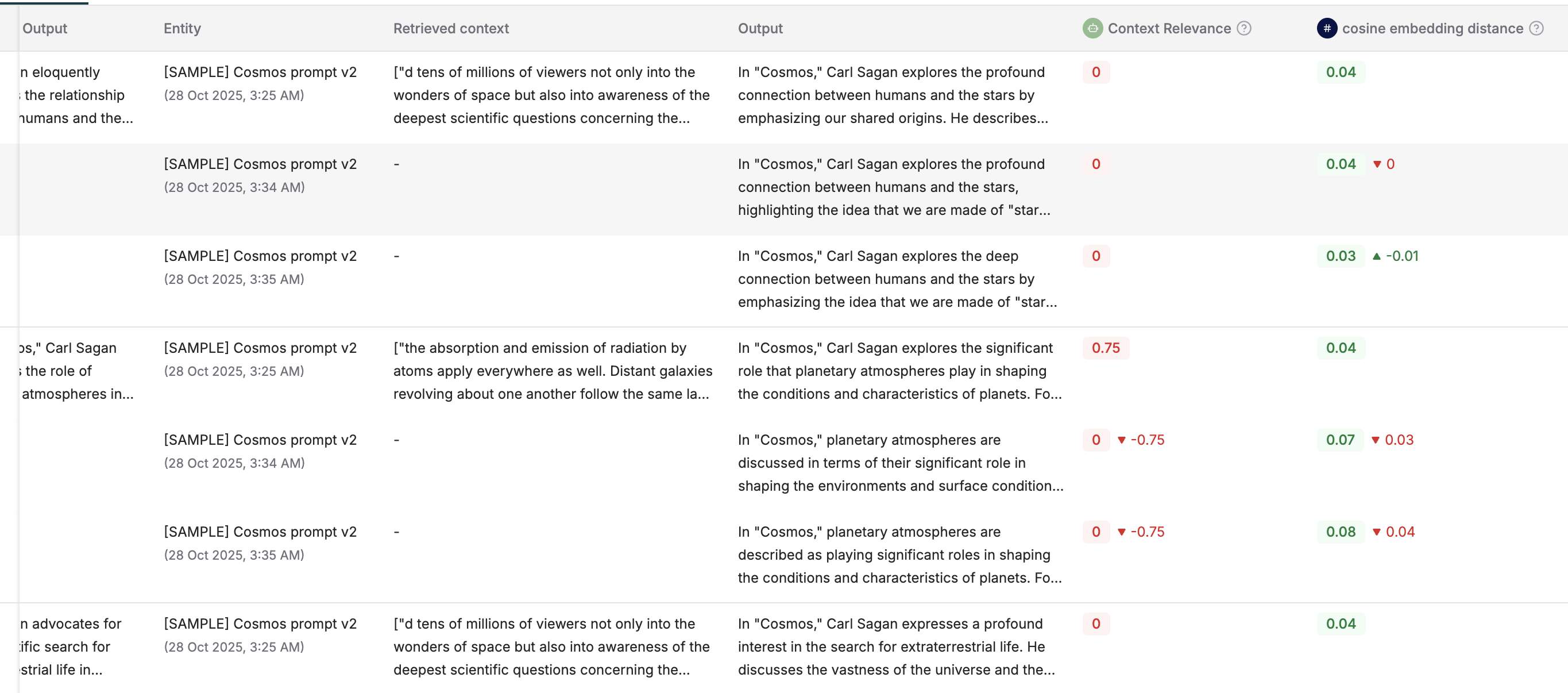
You will now receive a detailed dashboard with the most recent test runs for the selected entity.Evaluator summary
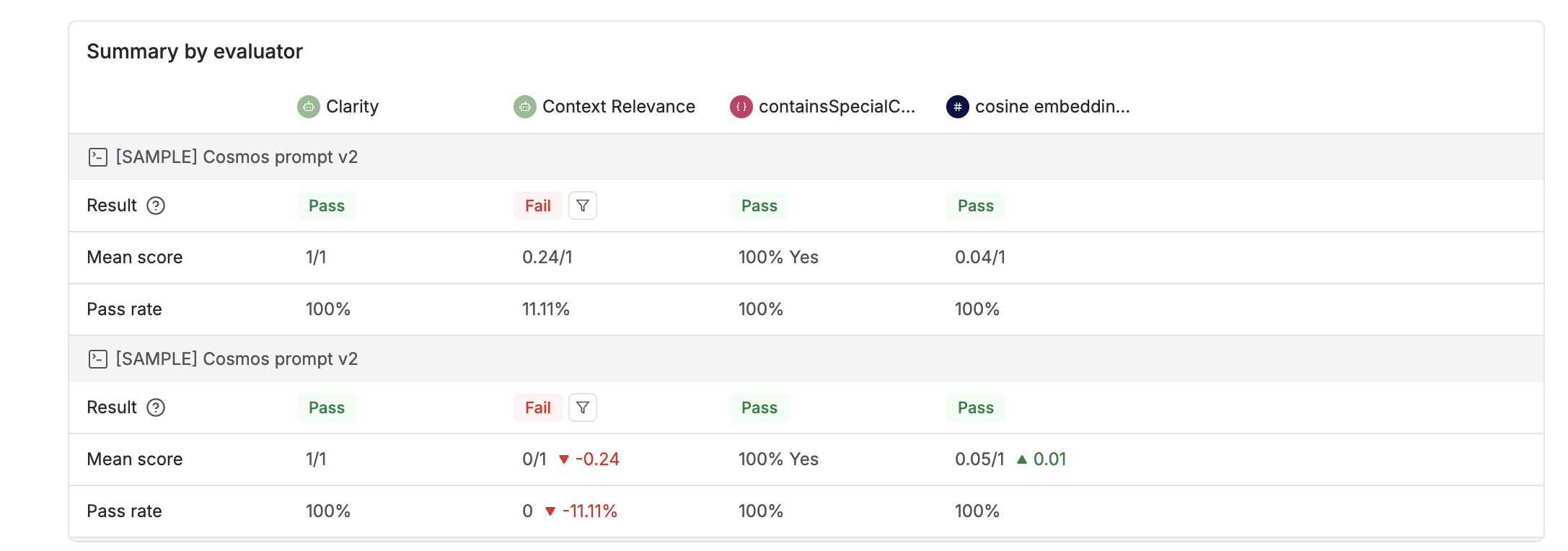
Visualizations for various metrics
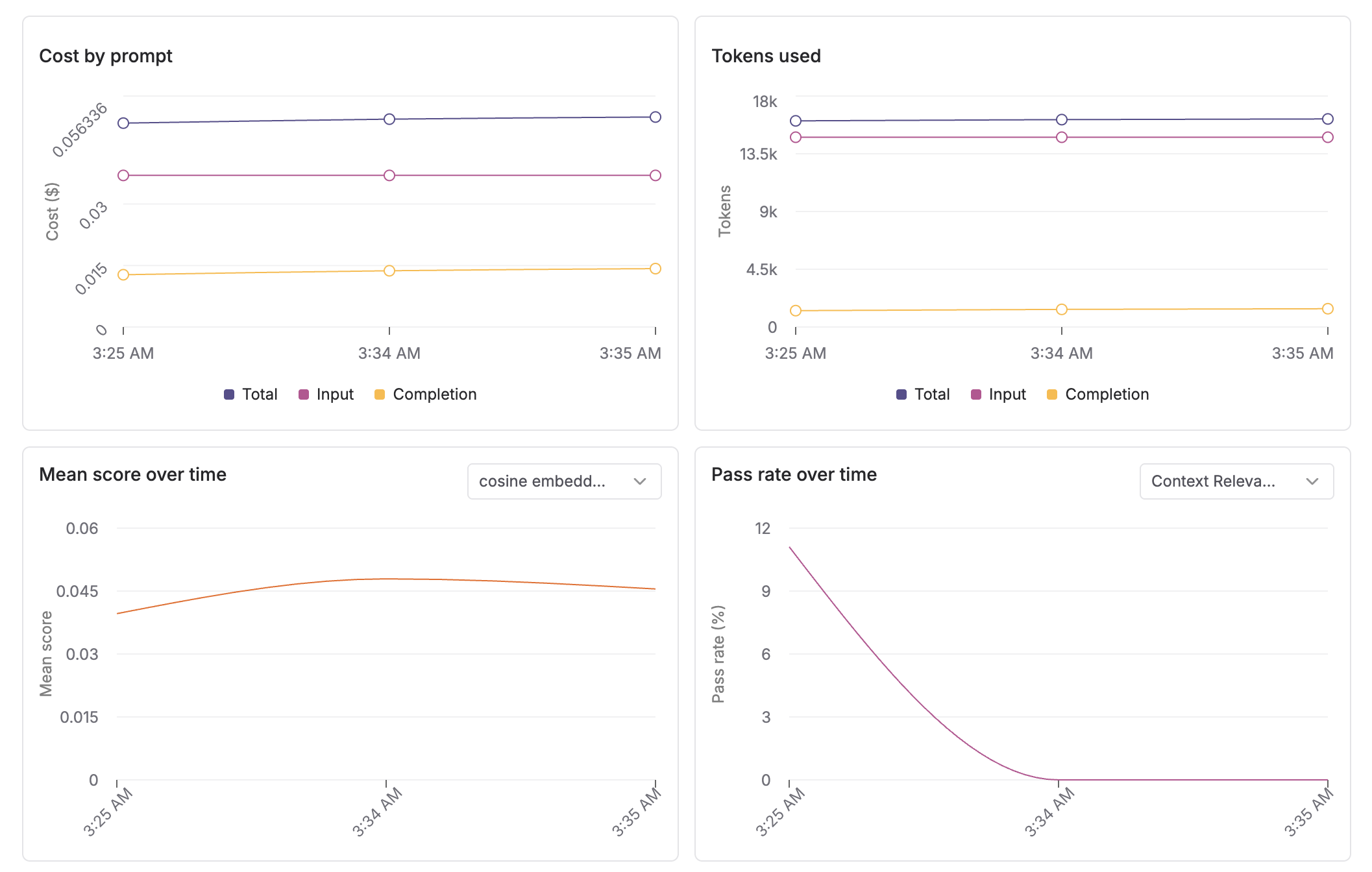
Run comparisons
Sharing your dashboard
You can share your dashboard with your team by clicking theShare dashboard button in the top right corner of the screen.